Automatic Twitch clipping — for clippers and streamers

Never miss a highlight again.

On every channel at once. You can only watch one stream at a time — Highlightz watches all of them, every streamer you clip for plus your own, scoring each one second by second and creating the Twitch clip the moment something pops. Up to 10 channels at the same time on Pro.

Free on 1 channel · no card · 3 channels from $10/mo

Up to 10 channels at once Formula-based — not AI Works at any channel size
Highlightz — monitoring 4 channelsLIVE
novafps
Trigger score92
trigger threshold TRIGGER FIRED
CHAT VELOCITY AUDIO SPIKE KEYWORDS SENTIMENT
Big Reaction — clipped automatically
Creating clip on Twitch…✓ Clip ready
Live demo — one of the channels, start to finish. Every channel you add gets its own score, signals and profile.
10
channels watched at once on Pro — 3 on Starter
7
live signals blended into every score
1s
every second of every channel is scored
17,007
clips captured and counting

Built for clippers first

If clipping is how you grow — or how you get paid — your ceiling is how many streams you can sit through. Highlightz removes that ceiling. It works just as well pointed at your own channel.

Clippers & editors

Point it at every streamer on your list — 3 at once on Starter, 10 on Pro — and let the best moments surface themselves. Each channel learns its own baseline, so a quiet variety streamer and a screaming FPS streamer both trigger fairly. Clips land in one review queue, created under your own Twitch account, ready to cut. You spend your night editing instead of scrubbing.

Streamers

Capture your funniest, hypest, and most viral moments live — no mod team or clip-happy chat required. You play, it clips. Add your alt, your co-streamers, or the friends you raid, and the clips come to you.

Orgs, community & mod teams

Cover every member of the roster at the same time and keep a steady feed of share-ready clips for socials and Discord, pulled straight from the action as it happens.

How it works

Five simple steps from "they went live" to a clip in your review queue — running on every channel you add, at the same time.

1

Add every channel you clip for

Streamers you clip for, your own channel, or anyone live right now. Paste a name and it starts watching — up to 3 channels at once on Starter and 10 on Pro, all in one dashboard, all running in parallel. You do not have to be watching, or even online.

2

A formula scores every second — not AI

Highlightz uses a transparent mathematical formula that combines chat speed, audio spikes, keywords, viewer surges, and hype moments into one live score. No AI, no black box — you can watch the score move in real time as the stream unfolds.

3

It adapts to every streamer

The formula learns each channel's normal — a quiet chess stream and a loud FPS stream trigger with the same fairness. The more it watches a channel, the sharper its judgment becomes.

4

Clips are created right on Twitch

Fully connected to your Twitch account. When the score crosses the threshold, a real Twitch clip is created instantly under your account — hosted by Twitch and ready to share. Highlightz never records or re-hosts video.

5

You stay in control

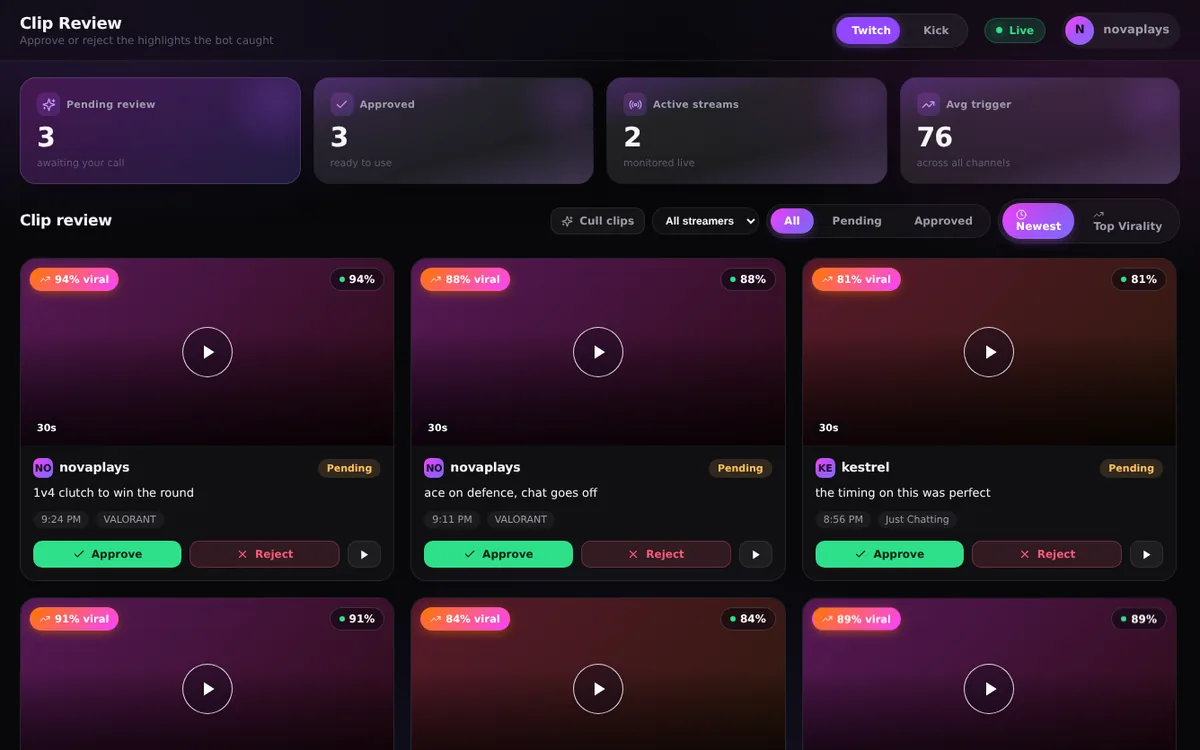
Every clip lands in your review queue. Approve the keepers, reject the misses — and the formula quietly tunes itself to your taste with every decision you make.

See it in action

A clean, real-time dashboard that shows you exactly what's happening and why.

Monitoring
novafps
twitchfpslive
Clip ×
Trigger score72.4
CHAT_VELOCITY: 0.81 AUDIO_SPIKE: 0.64 KEYWORD: 0.30 SENTIMENT: 0.12
Threshold
58
Velocity
4.2 m/s
Clips
37
Approval
78%
Calibrated · 142 samples

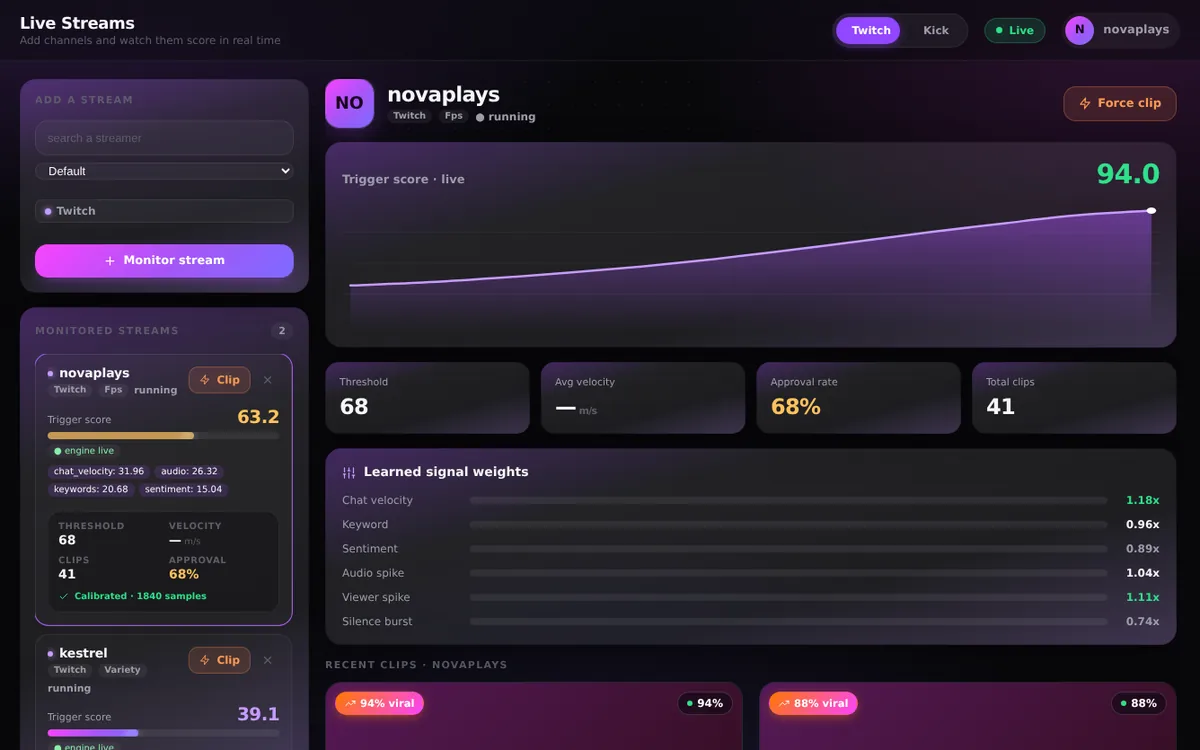
Live stream monitoring

Each channel gets its own bubble with a live trigger score, the exact signals firing, and a learned profile that calibrates to that streamer.

Clip detail
84% trigger
NF

Insane 1v5 clutch to win it

novafps · VALORANT · 2m ago
approved
Why it fired
Chat velocity88%
Audio spike73%
Keyword hits61%
Sentiment47%

Every clip, fully explained

Open any clip to see the precise breakdown of which signals triggered it — no AI guesswork, just the numbers behind the moment.

Clip library
96%
Triple kill, no scope
novafpsapproved
81%
Unreal comeback round
peachy_katpending
74%
Clutch ace, full team
drift_seasonapproved
68%
Perfect comedic timing
moonvalepending

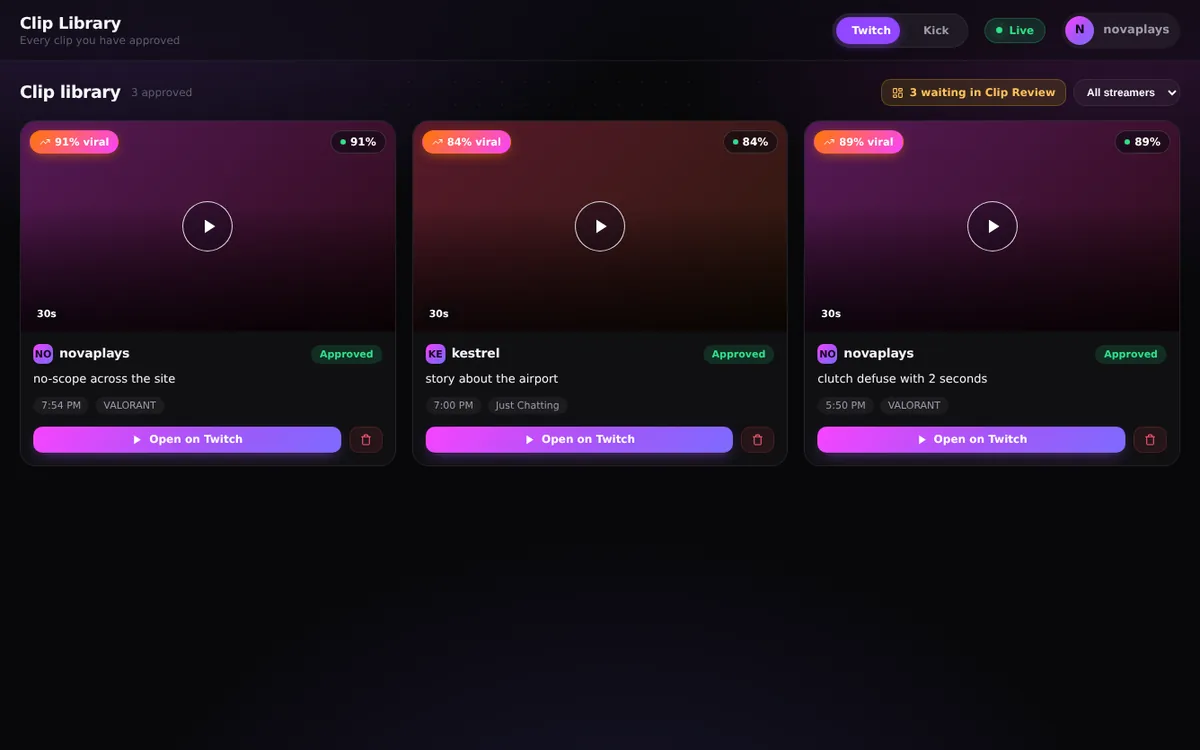
Your clip library

Every captured moment in one place, scored and ready to review. Approve the keepers, reject the rest — the formula learns from every call.

100% transparent

A formula you can actually understand

Highlightz isn't powered by AI guesswork. It's a clear, explainable formula that blends real signals from the stream into a single live score. Every trigger has a reason you can see.

Chat speed
+
Audio spikes
+
Keywords
+
Viewer surges
+
Hype moments
84
= one live highlight score, adapting to each streamer

Everything in the box

A complete clipping toolkit that runs on every channel at once, while you do everything else.

Up to 10 channels at once

1 channel free, 3 on Starter, 10 on Pro — watched simultaneously from one dashboard, each with its own independent learning profile. Nothing queues behind anything else.

Real-time detection

Streams are scored second by second, so highlights are caught the instant they happen — not hours later in a VOD.

Adaptive per-channel learning

Every channel you add gets its own baseline and its own threshold. Loud or quiet, fast chat or slow — each one is calibrated fairly and independently.

One queue for every channel

Clips from all your channels land in a single review queue — 15 pending free, 50 on Starter, 200 on Pro. Your decisions feed straight back into that channel's formula, sharpening it over time.

Live score analytics

Watch the highlight score rise and fall in real time, with a clear breakdown of which signals are firing.

Real Twitch clips, zero risk

Every clip is created through Twitch's official API under your own account — hosted by Twitch, never recorded or re-hosted by us.

More channels, more clips.

Every plan is the full product — paid tiers just point it at more streamers at the same time. No card to start, no contracts, cancel anytime.

Free
$0/forever
The real product on 1 channel. No card.
Monitor 1 channel
Automatic clip detection, live on Twitch
Review queue for 15 pending clips
Adaptive, per-channel scoring formula
Live trigger-score analytics
Start free →
Starter
$10/month
For clipping a small roster — 3× the coverage.
Monitor 3 channels at once
Everything in Free
Review queue for 50 pending clips
Adaptive, per-channel scoring formula
Live trigger-score analytics
Choose Starter →
Most popular Highlightz Pro
$25/month
The full toolkit for serious clippers — 10× the coverage.
Monitor 10 channels at once
Everything in Starter
Review queue for 200 pending clips
VOD Scanner — find highlights in past broadcasts
Go Pro →
Have a promo code? Enter it at checkout for 50% off your first month.

Frequently asked questions

Quick answers to the things people ask before starting.

How many channels can I watch at once?+
One on the free plan, 3 at the same time on Starter, and 10 at the same time on Pro. They all run in parallel — nothing waits in line behind anything else — and each channel keeps its own independent learning profile, so watching ten does not blunt any one of them.
Can I clip channels I don't own?+
Yes — that's what most people use it for. Add any live Twitch channel and Highlightz clips it through Twitch's official Clips API using your authorized account, exactly as if you had pressed Twitch's own Clip button while watching. The clip is hosted by Twitch and attributed to you, the same as a manual clip. Streamers who would rather not be clipped through Highlightz can opt out at any time on our opt-out page, and we honour it immediately.
Do I have to be watching for it to work?+
No. Highlightz runs on our servers, not in your browser, so your tab can be closed and your PC can be off. Add a channel before the streamer is even live and it keeps checking every 30 seconds until they are, then watches the whole broadcast and leaves the clips in your queue for when you get back. The one thing it asks is that you check in: if an account shows no activity at all for 8 hours, its streams are stopped so slots aren't held open by abandoned sessions.
How does Highlightz know what to clip?+
It watches your stream's live signals — chat speed, audio spikes, keywords, viewer surges, and hype moments — and blends them into one score, second by second. Every channel gets its own baseline, so a spike is measured against your normal, not someone else's. When the score crosses your channel's threshold, the clip fires.
Is this AI?+
No. Highlightz runs on a transparent mathematical formula, not a black-box model. You can watch the score move in real time and open any clip to see exactly which signals fired and why.
Do you record or store my stream?+
Never. When a moment hits, Highlightz asks Twitch to create a real Twitch clip through the official API — the clip is hosted by Twitch, attributed to your account, exactly as if you'd clicked the Clip button yourself. We never record, download, or re-host video.
Is this allowed on Twitch?+
Yes — clips are created through Twitch's official Clips API with your authorized account, the same mechanism as Twitch's own Clip button. Streamers who don't want their channel clipped through Highlightz can also opt out at any time via our opt-out page.
How long are the clips?+
Twitch clips capture roughly the last 30 seconds around the moment — our timing places the highlight inside that window, build-up and payoff. Want longer? Any clip can be trimmed or extended up to 60 seconds in Twitch's own clip editor.
Does it work for small channels?+
Yes — this is the whole point of per-channel calibration. A 5-viewer chat and a 50,000-viewer chat get judged with the same fairness, because the formula learns what's normal for each channel and reacts to relative spikes, not raw numbers.
How does billing work?+
There is a free plan with no card required — one monitored channel and a 15-clip review queue, for as long as you like. Paid plans are Starter at $10/month (3 channels at once, 50-clip queue) and Pro at $25/month (10 channels at once, 200-clip queue, plus the VOD Scanner). Both renew monthly and you can cancel anytime through the billing portal — no contracts, no cancellation hoops.
What if I don't like the clips it takes?+
Every clip lands in your review queue first — approve the keepers, reject the misses. The formula learns from every decision: rejections raise that channel's bar, approvals lower it, so it steadily tunes itself to your taste.
Do you support platforms other than Twitch?+
Twitch is fully supported today. More platforms are on the roadmap — follow along in the app for updates.

Ten streams are live right now.
You can only watch one.

Connect your Twitch account and add your first channel free — then point Highlightz at the whole roster and let it catch the highlights on all of them at once.

Start clipping now Read the walkthrough